

Case Changer for Google Docs™, Sheets™ & Slides™
A free add-on that changes the case of selected text in one click: UPPERCASE, lowercase, Sentence case, Title Case and more, in a document, a spreadsheet or a presentation. Bold, links and colours stay exactly where they were.
Install Add-onGet it on Google Workspace Marketplace
Nine Case Styles
UPPERCASE
MAKE EVERYTHING CAPITAL LETTERS
MAKE EVERYTHING CAPITAL LETTERS
lowercase
make everything small letters
make everything small letters
Sentence case
Capital letter at the start of each sentence
Capital letter at the start of each sentence
Title Case
Capitals On The Important Words, Small On "of" and "the"
Capitals On The Important Words, Small On "of" and "the"
Capitalize Each Word
A Capital Letter On Every Word
A Capital Letter On Every Word
iNVERSE cASE
sWAPS eVERY lETTER
sWAPS eVERY lETTER
aLtErNaTiNg cAsE
uPpEr AnD lOwEr In TuRn
uPpEr AnD lOwEr In TuRn
snake_case
lowercase_words_joined_with_underscores
lowercase_
kebab-case
lowercase-words-joined-with-hyphens
lowercase-
See It In Action
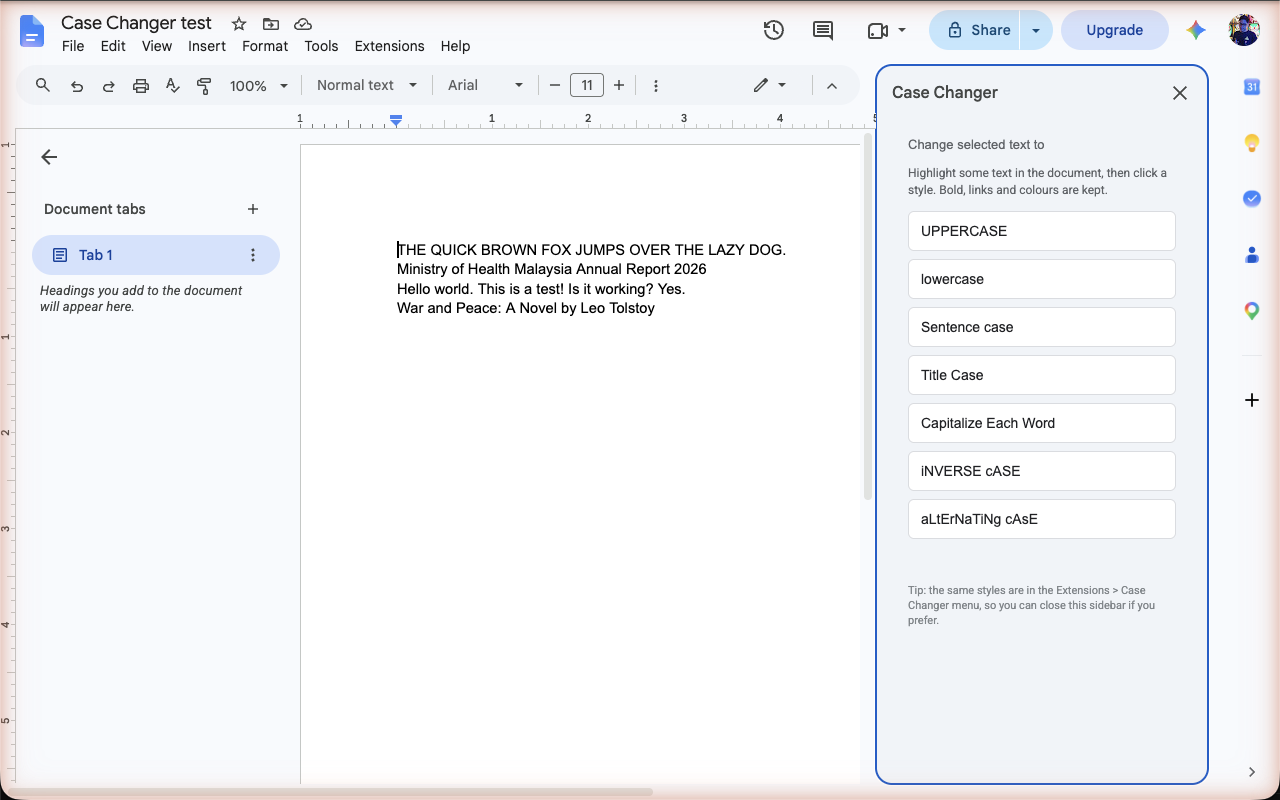
How To Change Case In Google Docs
- Highlight some text in your Google Doc.
- Open Extensions > Case Changer and pick a style, or choose Open sidebar for one-click buttons.
- Done. Formatting stays exactly where it was. Press Cmd+Z or Ctrl+Z to undo.
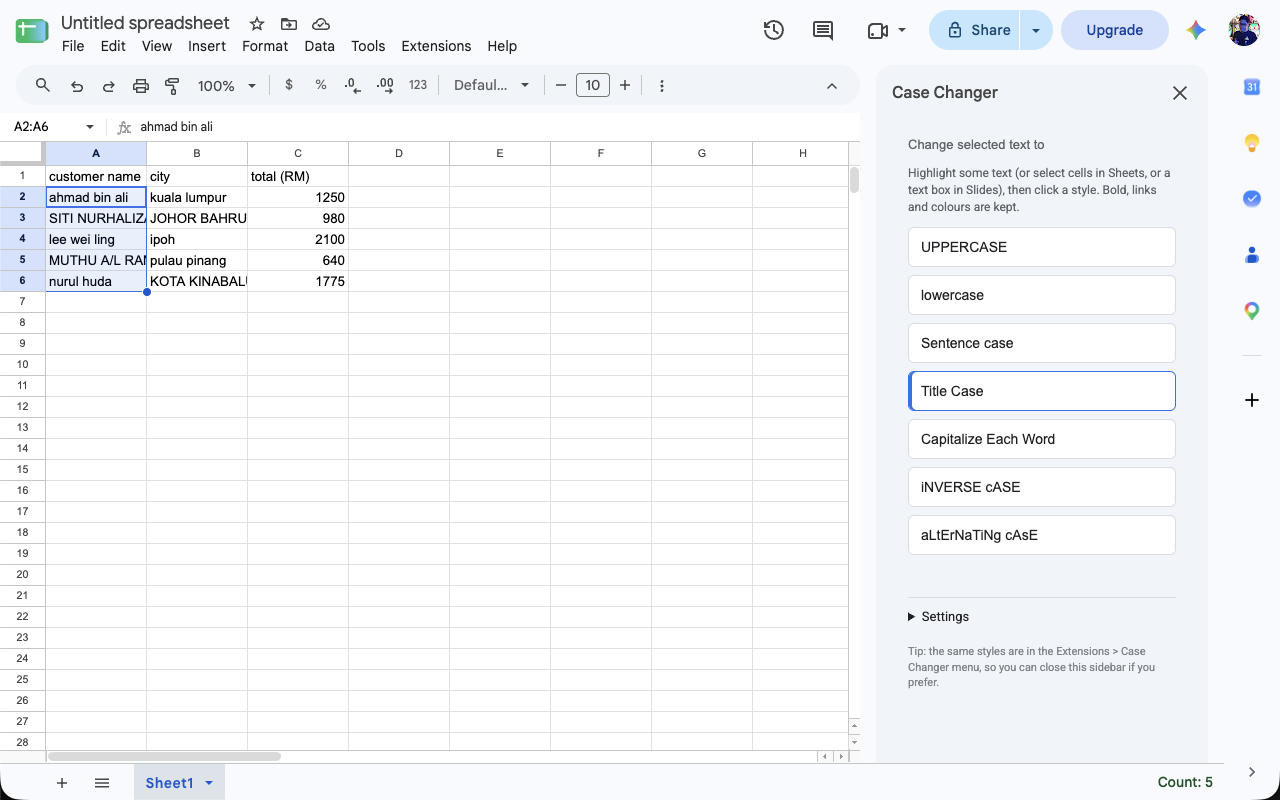
How To Change Case In Google Sheets
- Select the cells, a column, a row or the whole range you want to change. Formulas and numbers are left alone.
- Open Extensions > Case Changer and pick a style such as UPPERCASE, lowercase or Capitalize Each Word.
- The text changes in place. No UPPER(), LOWER() or PROPER() formulas, no helper column and no paste-as-values step.
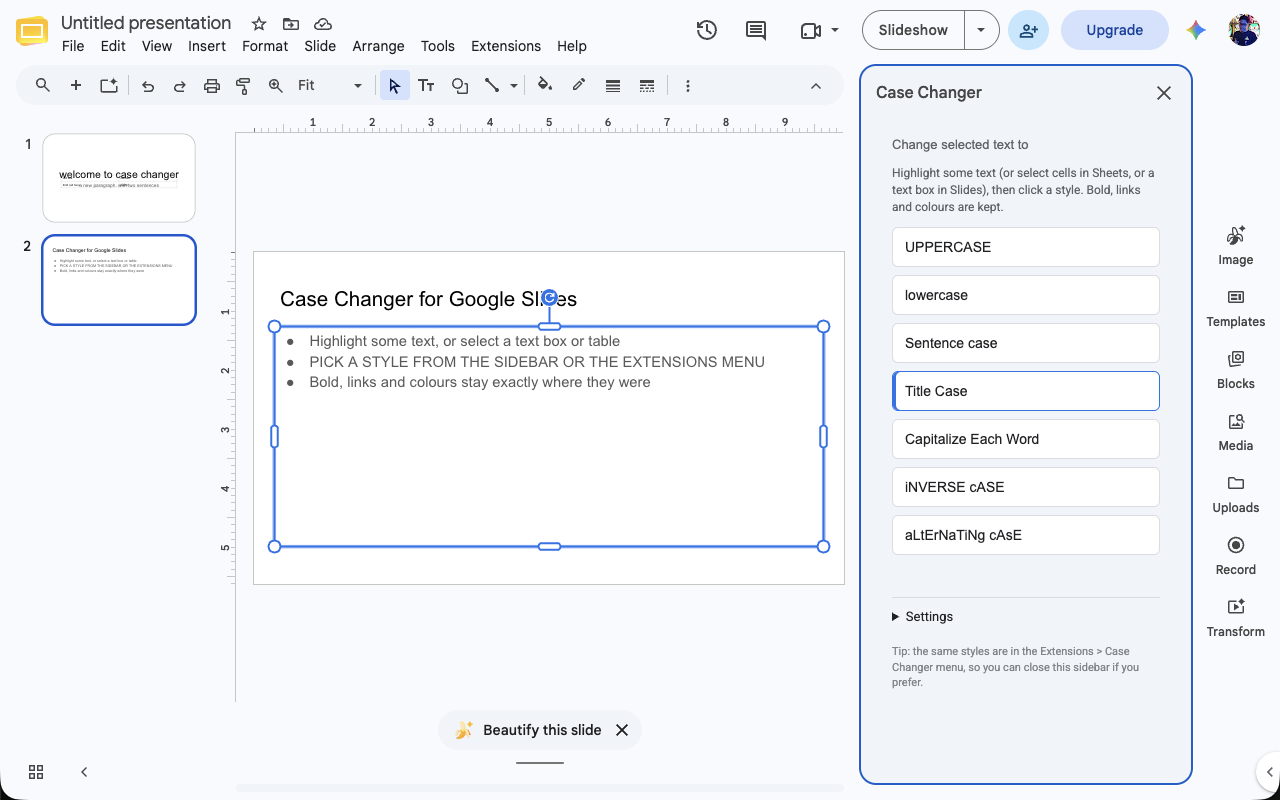
How To Change Case In Google Slides
- Highlight text inside a text box, or click a text box, shape or table to change all of its text.
- Open Extensions > Case Changer and pick a style.
- Fonts, sizes, colours and links stay where they were. With nothing selected, the sidebar offers to change the whole presentation.
Why Case Changer
- Keeps formatting. Only the letters change. Bold, italic, colours, fonts, links and comments are untouched.
- Smart title case. Short words such as "of", "and" and "the" stay lowercase, the way editors write titles.
- Works on any selection. A word, a sentence, a whole table, a range of cells, a text box or the entire file, including footnotes in Docs and speaker notes in Slides. Select a whole column in Sheets and the header row is left alone.
- One add-on for three editors. The same menu and sidebar in Google Docs, Google Sheets and Google Slides.
- Keeps acronyms. Sentence case and Title Case leave NASA, KL or UMNO alone.
- Speaks twelve languages. The sidebar, menu and messages appear in English, Bahasa Malaysia, Bahasa Indonesia, Spanish, French, German, Portuguese, Italian, Dutch, Tagalog, Turkish or Greek, following your Google account. Title Case knows the small words to keep lowercase in each, detects the language from the text itself, and you can add your own words.
- Never-change words. List iPhone, eBay, macOS or your company name once and every style leaves the spelling alone.
- Sentence case knows names. Days, months, languages and places keep their capitals: Monday, Kuala Lumpur, New York.
- Preview and Cycle. Preview shows your text in all nine styles before you choose. Cycle case flips between UPPERCASE, lowercase and Title Case in one click. Your most used styles move to the top.
- Gets Turkish and Greek right. Dotted and dotless i in Turkish, and the final sigma in Greek.
- Private by design. Access is limited to the open document and nothing is stored. Read the privacy policy.
- Free. No account, no sign-up, no ads.
In Your Language
How-to guides: Bahasa Malaysia, Bahasa Indonesia, Español, Português (Brasil). The add-on itself follows your Google account language.
Get It
Case Changer is free on the Google Workspace Marketplace. Install it there, or open Extensions > Add-ons > Get add-ons inside Google Docs, Sheets or Slides and search for "Case Changer".
Questions?
Answers to common questions, including how it works in Sheets and Slides, are on the support page. Or email support@case-changer.app.